


转载
一个全新的HUD界面模组
Description
AshenUI is a HUD and interface overhaul for 7 Days to Die.
The idea behind AshenUI is simple: make the game's interface cleaner, more consistent, and better suited to its post-apocalyptic setting.
The mod redesigns everything from the in-game HUD to inventory, crafting, skills, quests, and the world map. It also introduces a completely new pause menu, custom waypoints, and several quality-of-life improvements.
The goal is to improve the overall experience while keeping the interface familiar and easy to use.
Installation instruction
Download the latest version of AshenUI.
Extract the downloaded archive.
Place the AshenUI folder into your 7 Days To Die/Mods directory.
Make sure ModInfo.xml is located directly inside the mod folder.
Launch the game.
When updating, it's recommended to remove the previous version before installing the new one.
Main features
Redesigned HUD – A cleaner layout for health, stamina, food, water, and other important information.
Circular minimap – Keep track of your surroundings without constantly opening the world map.
Custom waypoints – Create your own map markers and share them with other players.
New pause menu – A completely redesigned pause menu with a dedicated AshenUI settings section.
HUD customization – Adjust the interface to suit your preferences.
Inventory overhaul – Updated inventory and character screens with a more consistent layout.
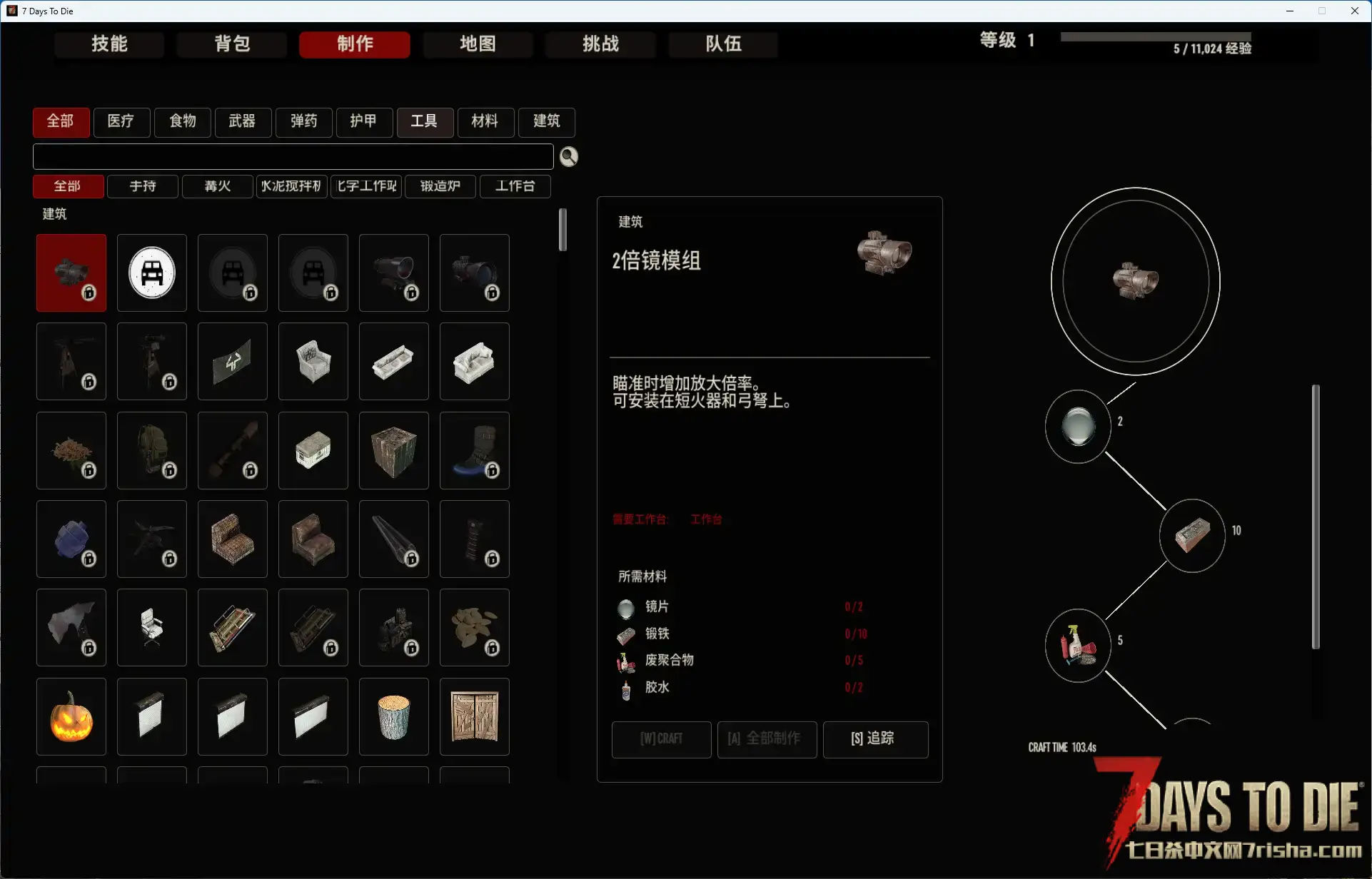
Crafting interface – Redesigned crafting menus and recipe displays.
Skills and progression – A refreshed skill interface with updated layouts.
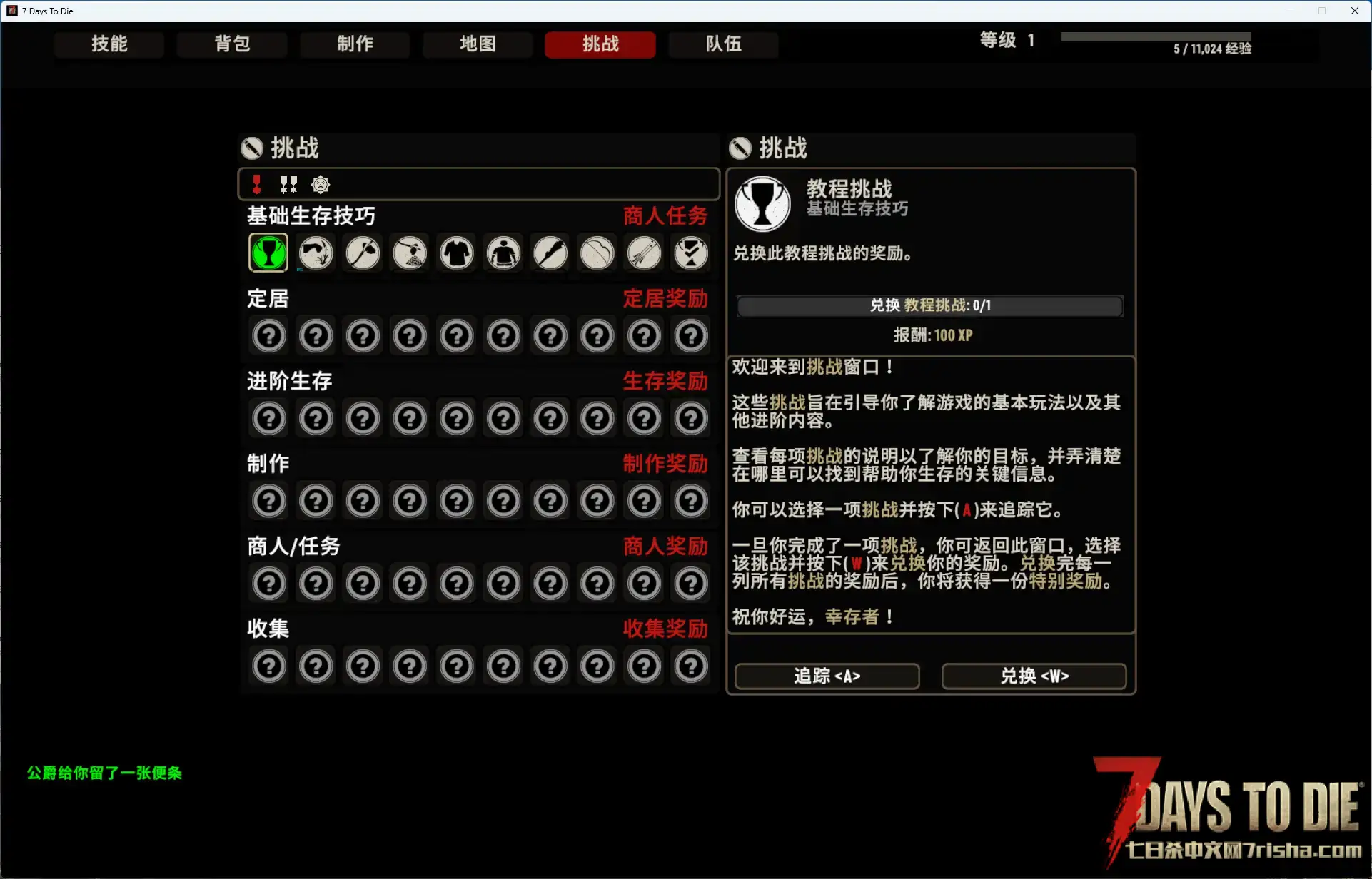
Quest interface – Redesigned quest windows and reward displays.
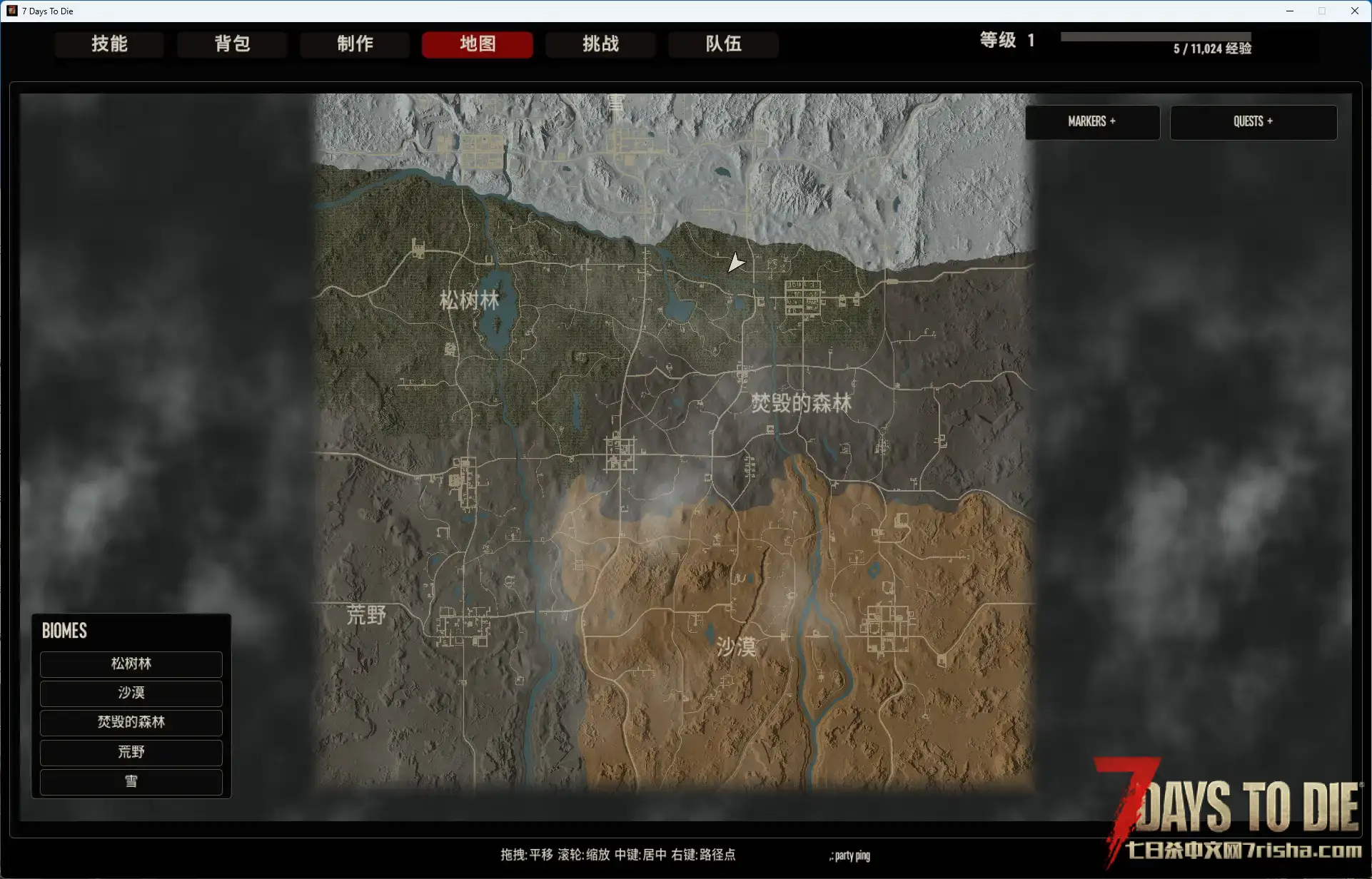
World map – Updated map interface with improved navigation and marker management.
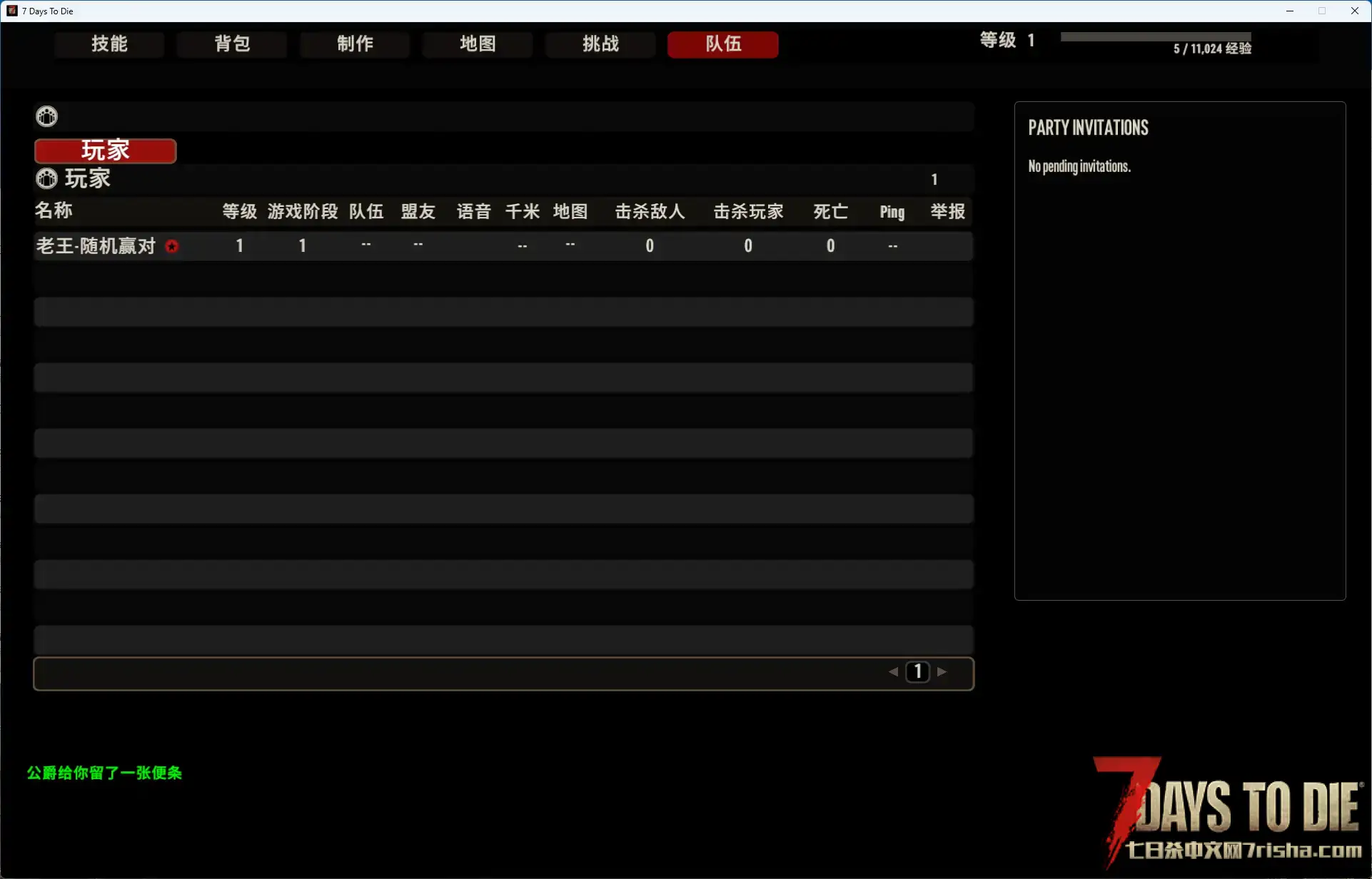
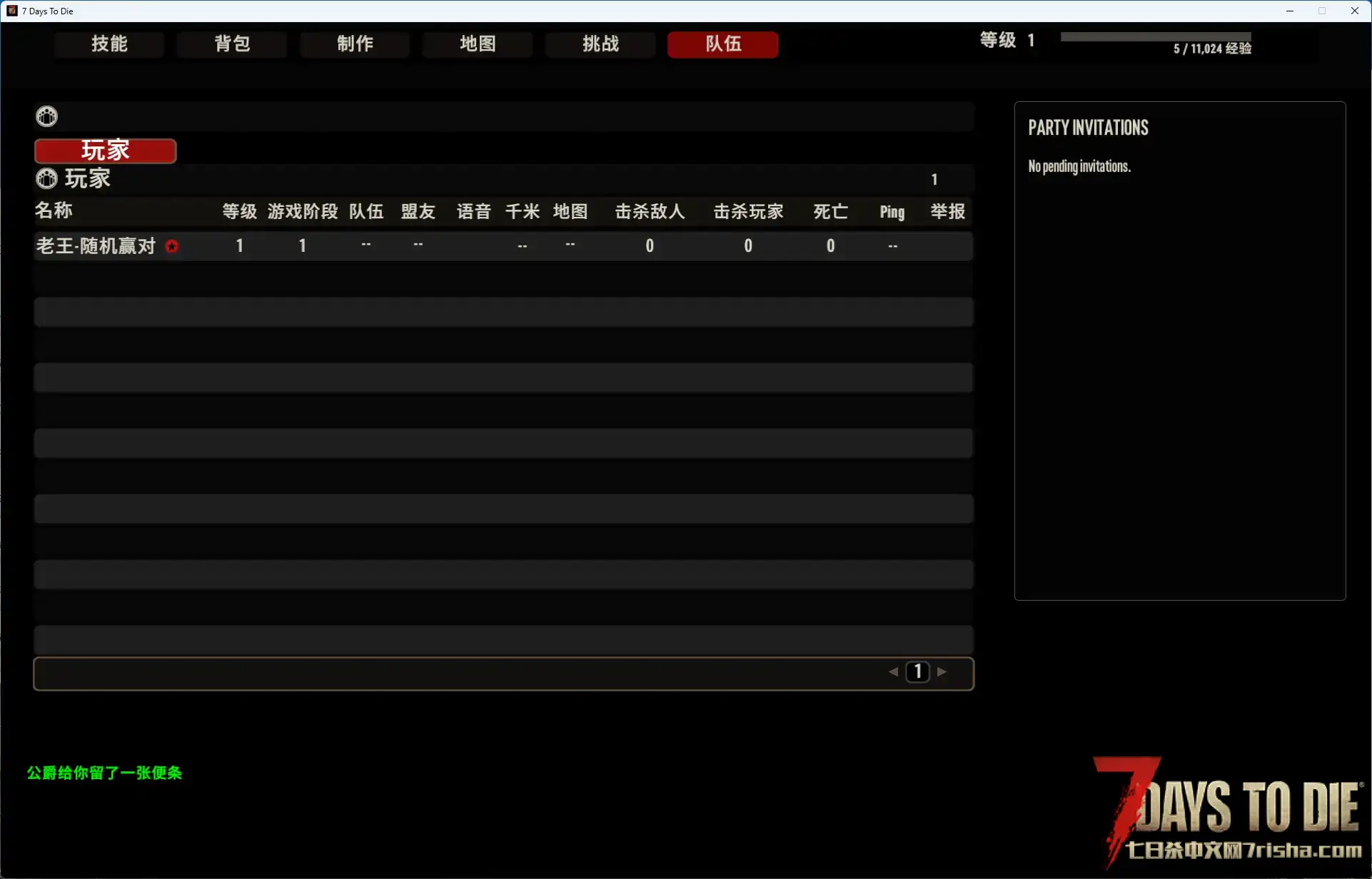
Party features – Improved party navigation and ping functionality.
Visual consistency – A dark, minimalist design throughout the interface.
描述
AshenUI 是一款针对《七日生存》的 HUD 与界面全面重制。
AshenUI背后的理念很简单:让游戏的界面更加简洁、统一,并更好地契合其后末日设定。
该模组从游戏内HUD到物品栏、制作、技能、任务以及世界地图,对所有内容都进行了重新设计。同时还引入了全新的暂停菜单、自定义途经点以及多项提升使用体验的改进。
目标是在保持界面简洁易用的同时,提升整体使用体验。
安装说明
下载最新版本的AshenUI。
解压下载的归档文件。
将AshenUI文件夹放入你的7 Days To Die/Mods目录中。
确保ModInfo.xml位于mod文件夹内部。
启动游戏。
更新时,建议在安装新版本之前移除旧版本。
主要特点
重新设计的HUD——生命值、耐力、食物、水及其他重要信息的布局更加简洁明了。
圆形小地图——无需不断打开世界地图,即可掌握周围环境。
自定义航点——创建自己的地图标记,并与其他玩家分享。
新暂停菜单——完全重新设计的暂停菜单,配有专门的 AshenUI 设置板块。
HUD自定义——根据个人喜好调整界面。
库存系统优化——更新了库存界面与角色界面,使其布局更加统一。
制作界面——重新设计了制作菜单与配方显示方式。
技能与成长——经过改进的技能界面,布局也有所更新。
任务界面——重新设计任务窗口与奖励显示。
世界地图——经过升级的地图界面,具备更出色的导航功能与标记管理功能。
派对功能——提升了派对导航与信号检测功能。
视觉一致性——整个界面采用深色、极简的设计风格。
要求
• 7天生存 V3.4.0
• EAC已禁用
已测试单机,联机,服务器通用


收点转费  签到一天的金币机翻,字体看的不爽的自己在拿去捣鼓下

N网作者地址
https://www.nexusmods.com/7daystodie/mods/13147

















 鄂公网安备42011202002543号
全部回复 0